
Diolan offers a wide range of interface adapters that you can use to connect your hardware to your computer.
These interface adapters vary by supported interfaces, frequencies, prices and intended applications, but all of them share the same API and can be easily interchanged.
Most of the adapters are also available as preprogrammed microcontrollers (system-on-chip), so you can significantly reduce the final cost by embedding our solution into your hardware.
The large number of accessories, ready-to-use software applications and open source examples will help you get acquainted with DLN series interface adapters very fast.
-
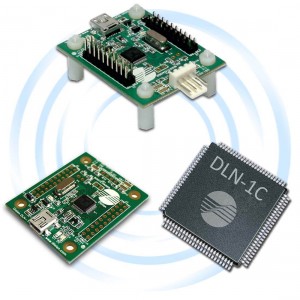
DLN-1 PC-I2C/SPI/GPIO Interface Adapter
DLN-1 is the cheapest and smallest adapter in the series. Despite the low price, this adapter overcomes most of the competitive products by its extended functionality.
It can be used as an I2C and SPI master device. It also has 32 general purpose digital input/output pins, four 10-bit analog inputs, PWM output and 32-bit pulse counter.
Learn More -
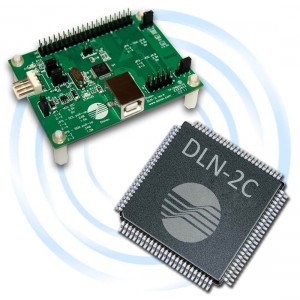
DLN-2 USB-I2C/SPI/GPIO Adapter
In addition to the DLN-1 adapter functionality, DLN-2 supports event-driven interface, higher SPI bus frequency and additional analog inputs, PWM output and pulse counter.
DLN-2 is intended to substitute our well known U2C-12 adapter. For many years thousands of our customers have been using the U2C-12 adapter in their development and production. To aid customers to switch to a new adapter without the manipulation of already established software and hardware we have added the U2C-12 compatibility mode to the DLN-2 adapter.
Learn More -
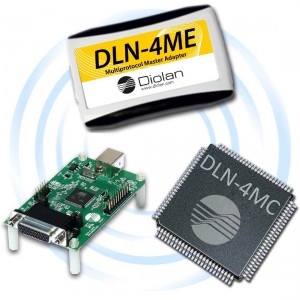
DLN-4M Multiprotocol Master Adapter
The DLN-4M Interface Adapter is a major breakthrough in a USB-to-serial connectivity; it utilizes the High-Speed USB (480 MHz) to transfer data to and from a personal computer.
In addition to the functionality of DLN-2, DLN-4M adapter supports higher SPI bus frequency, 12-bit analog inputs, additional digital I/O, PWM outputs and pulse counters.
Learn More -
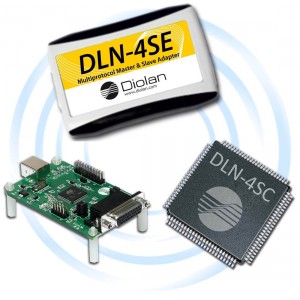
USB-SPI Master & Slave Adapter - DLN-4S
In addition to the functionality of DLN-4M adapter, DLN-4S can operate as an I2C or SPI bus slave device. It can send and receive data to/from external I2C and SPI master devices at high frequencies.
Learn More
